
RA WIN
Intelligent. Flexible. Reliable.
The system solution for your law firm.

The key to mandate management.
Case files.
Create new files quickly with all details and documents. Any number of parties, appointments, deadlines and reminders for each file.
Financial accounting.
Financial and file accounting, open items with reminders, income/expenditure statement for any period and VAT with submission via ELSTER.
Fee schedule.
RVG and GNotKG fees, hourly rates, expenses, court costs, postage and telephone recorded per file – suggested when invoicing, so no fee is lost.
Receivables management.
The claim with several main claims, interest and costs at a glance. Carry out collection measures and pre-book them.
Address management.
Up to 320 million addresses, plus legal details such as legal expenses insurance, RS number, representative and date of birth.
Notary office.
The notary program includes the management of the deed register, the custody book and the register of inheritance contracts.
New features for the RA WIN Professional you already use – no migration, no data transfer.
The RA WIN Feature Pack.
Between “it works” and “it does the new things” there is, for most law firms, a migration – with data transfer, training and the question of whether everything is still right afterwards.
The Feature Pack takes a different route: eight standalone applications that work on your existing RA WIN databases. They replace nothing and rewrite nothing – files, addresses and bookings stay as they are.
Our Professional Service will install and set it up for you if you wish.
Eight applications for RA WIN.
-
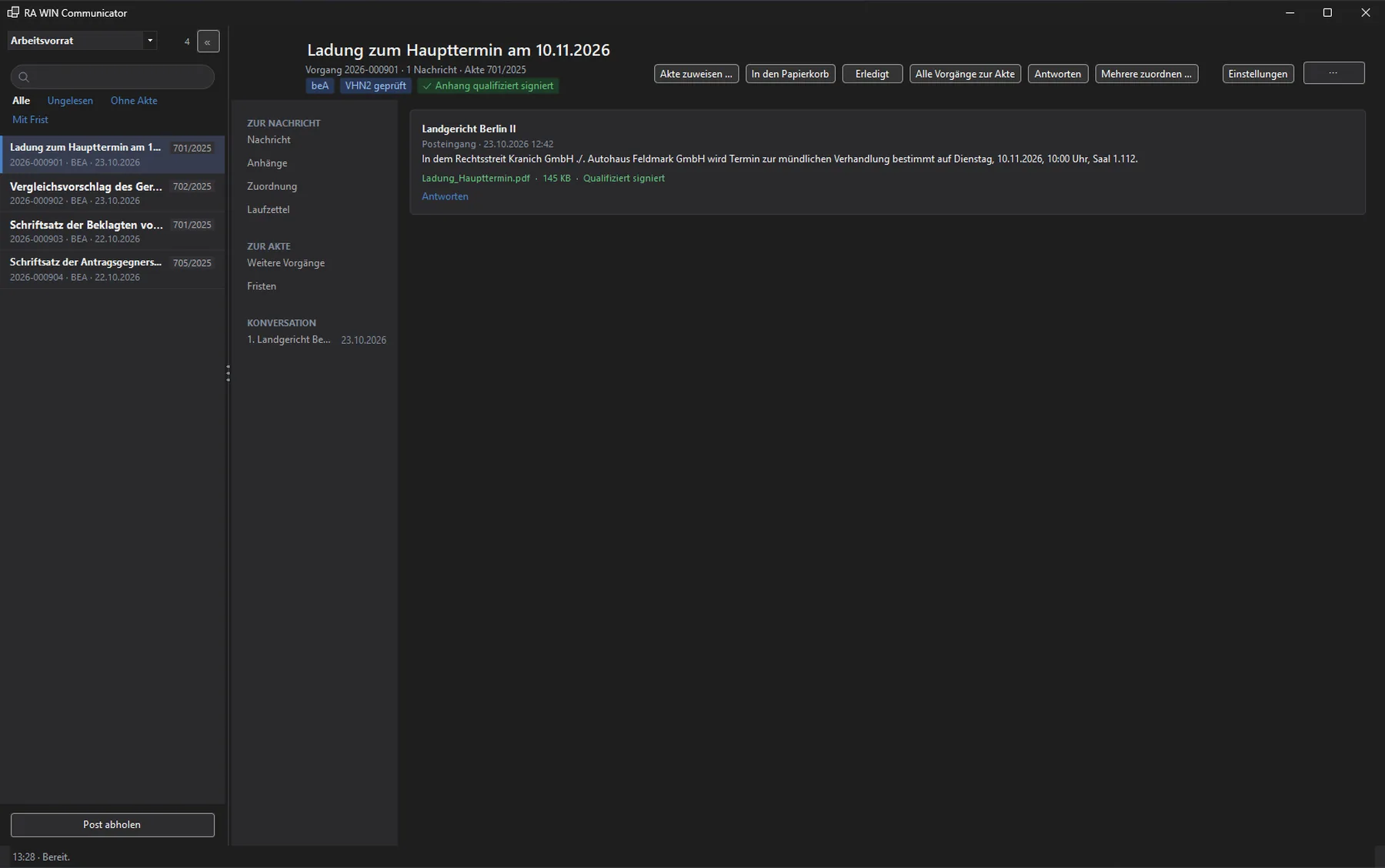
Fetch mail from the beA, verify signatures, assign it to the file. Acknowledgements of receipt from the same window. More about jur:beA
-
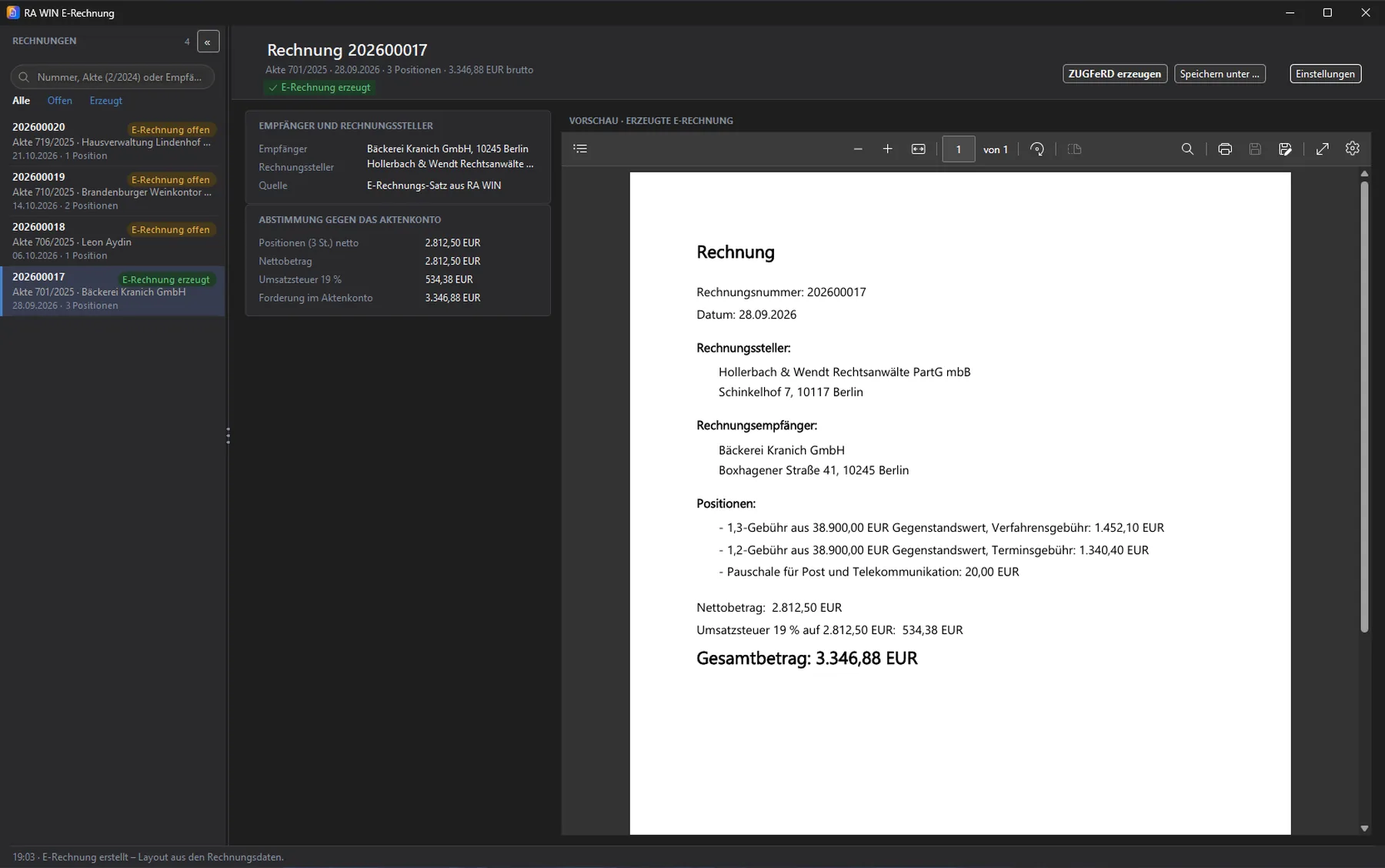
The fee invoice becomes an e-invoice: a PDF with embedded ZUGFeRD XML.
-
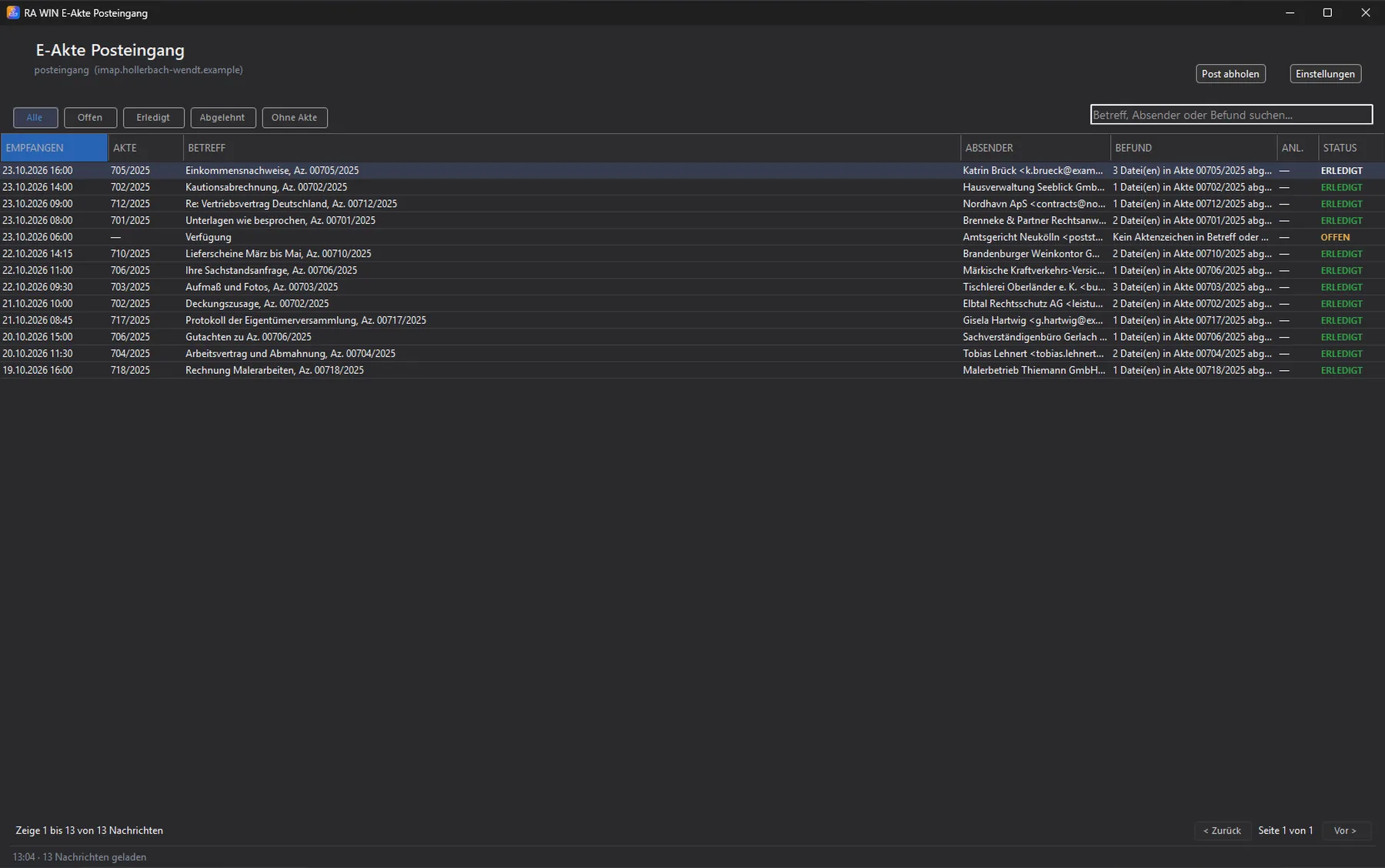
Fetches e-mail from a mailbox, matches it by file reference and stores the attachments in the file folder. The rest waits for manual assignment.
-
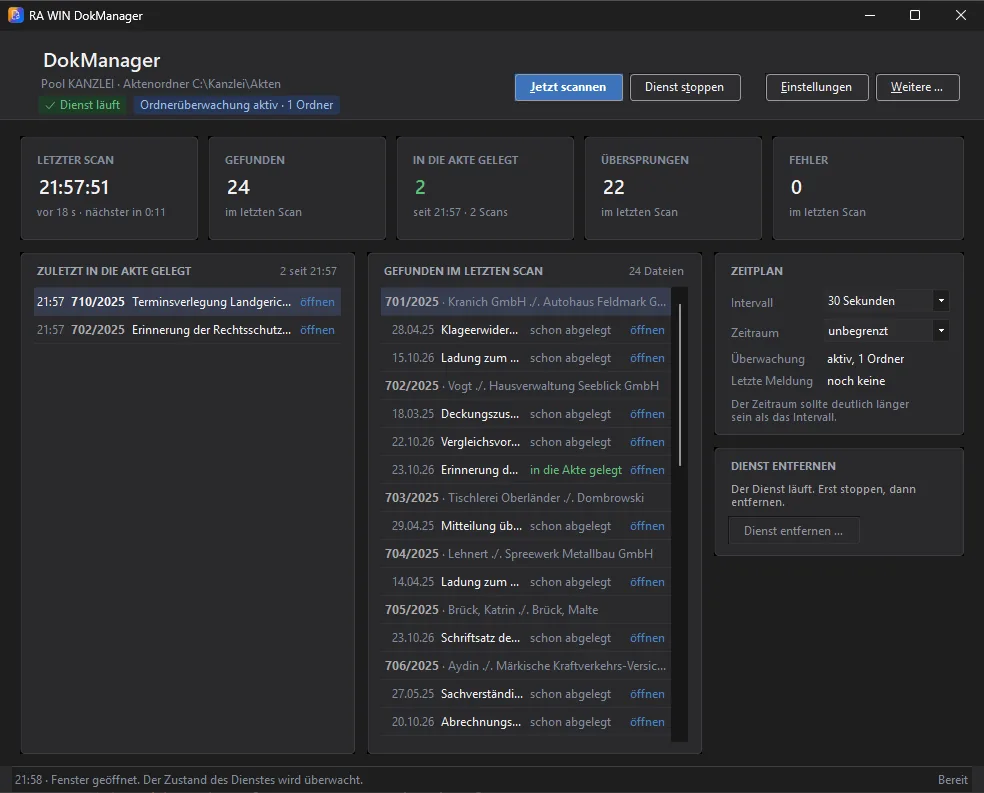
Files that someone copies into a file folder are detected by the DokManager and registered in RA WIN – where the file shows them.
-
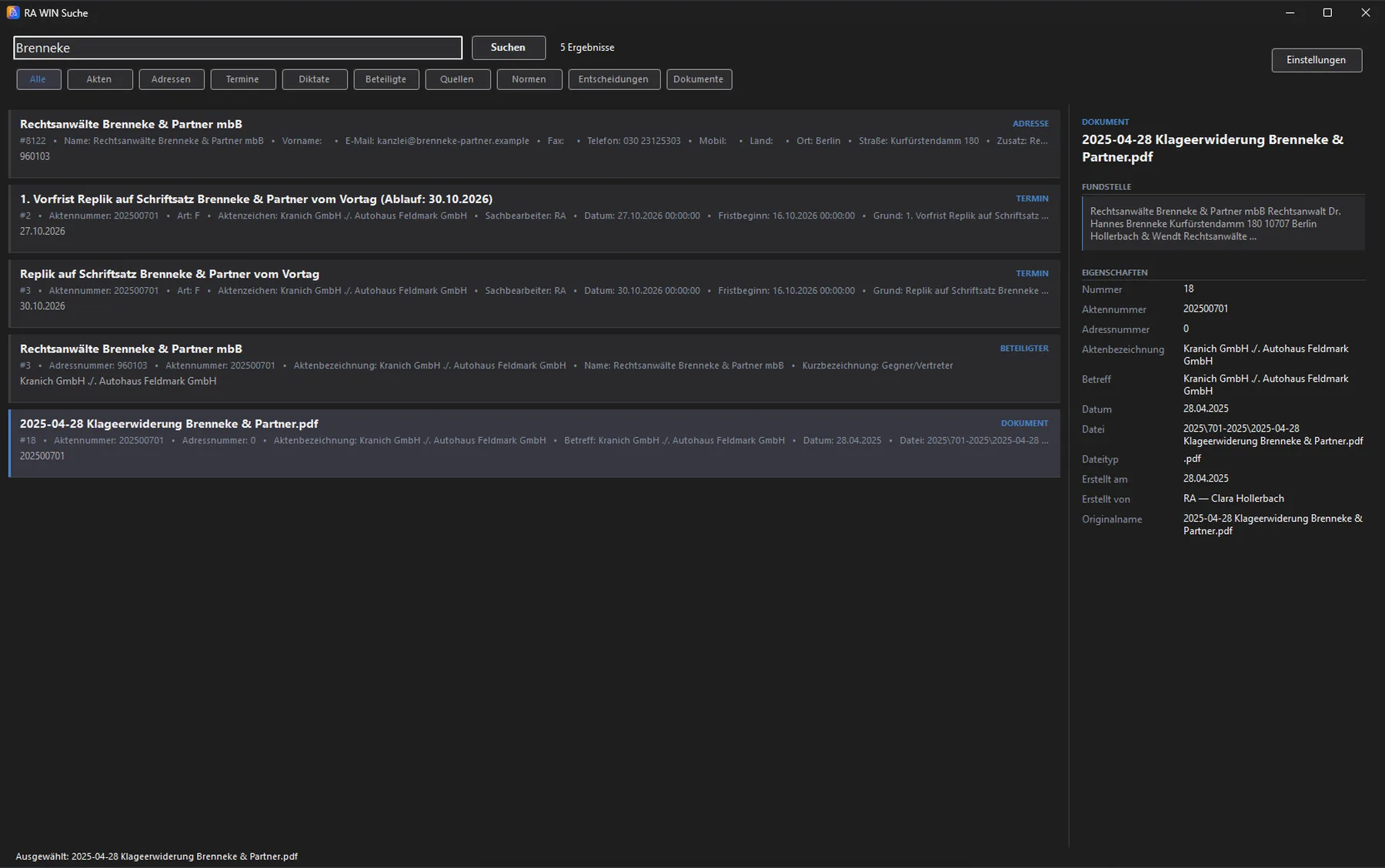
Full text across addresses, files, appointments, parties, dictations and document content. The index is kept separate from your data.
-
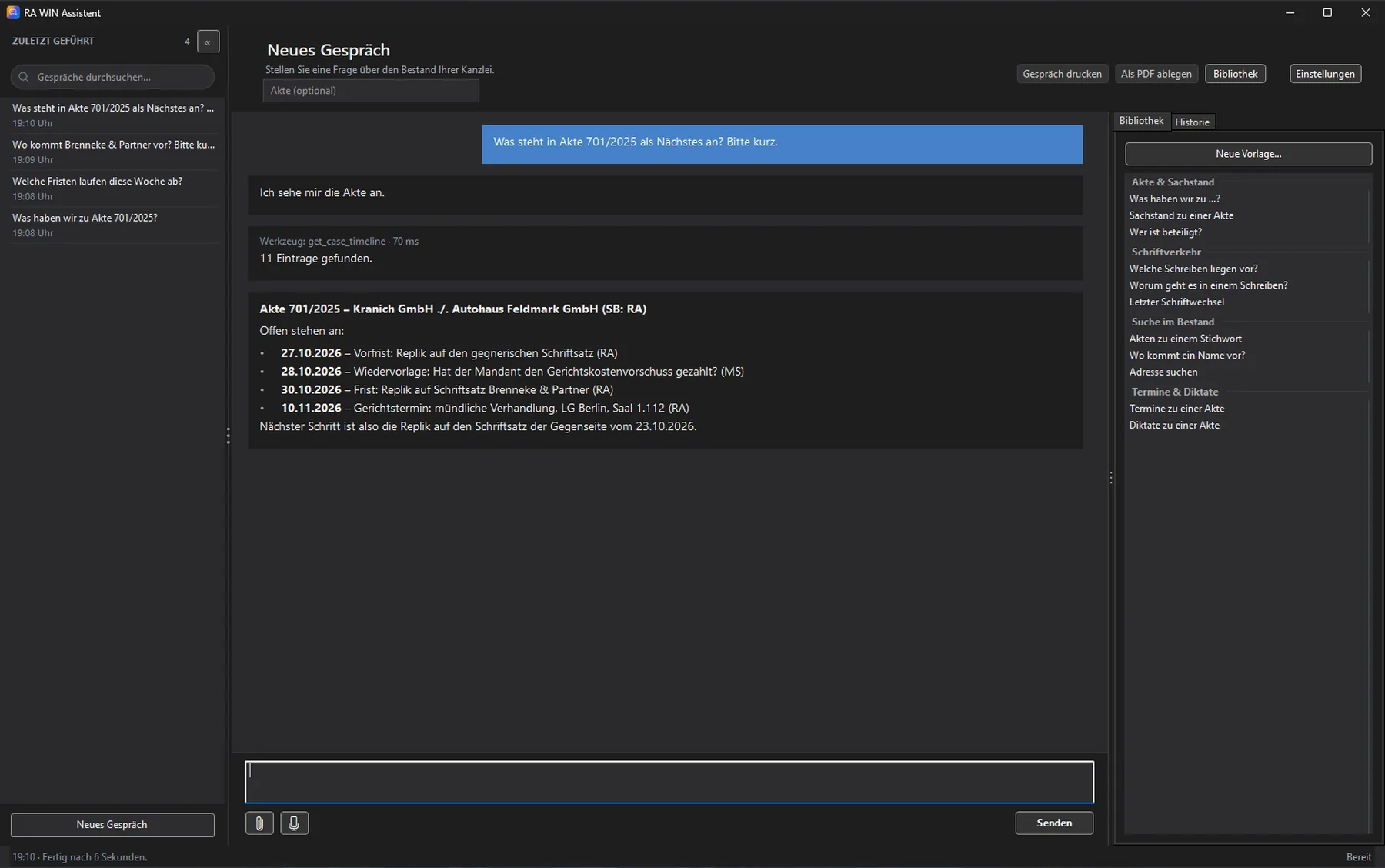
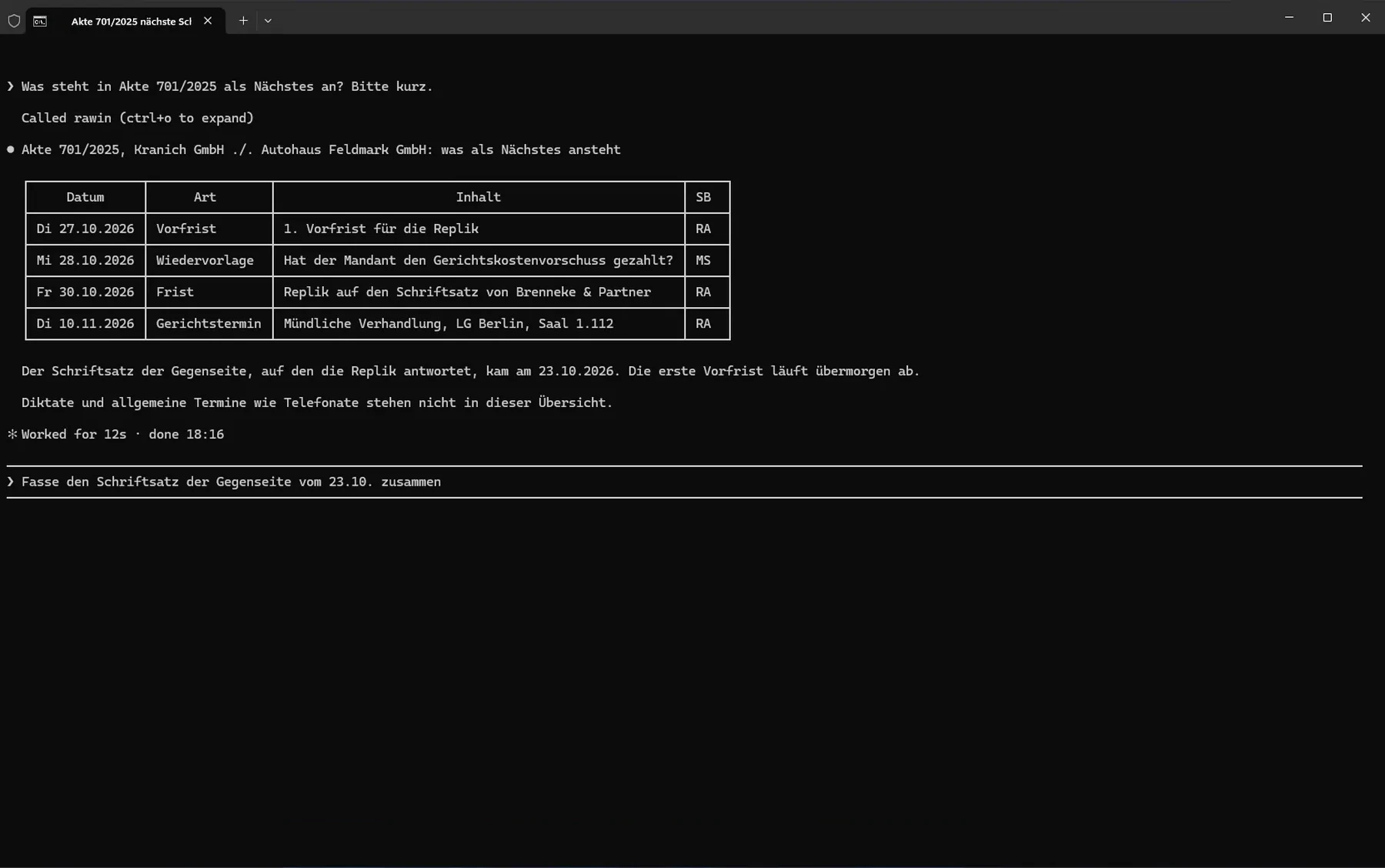
“What do we have on file 42/2026?” The assistant answers questions about your data in conversation. The assistant only has read access to the database.
-
Makes your data readable for AI programs – no service, no open port, with the rights of the signed-in user.
-
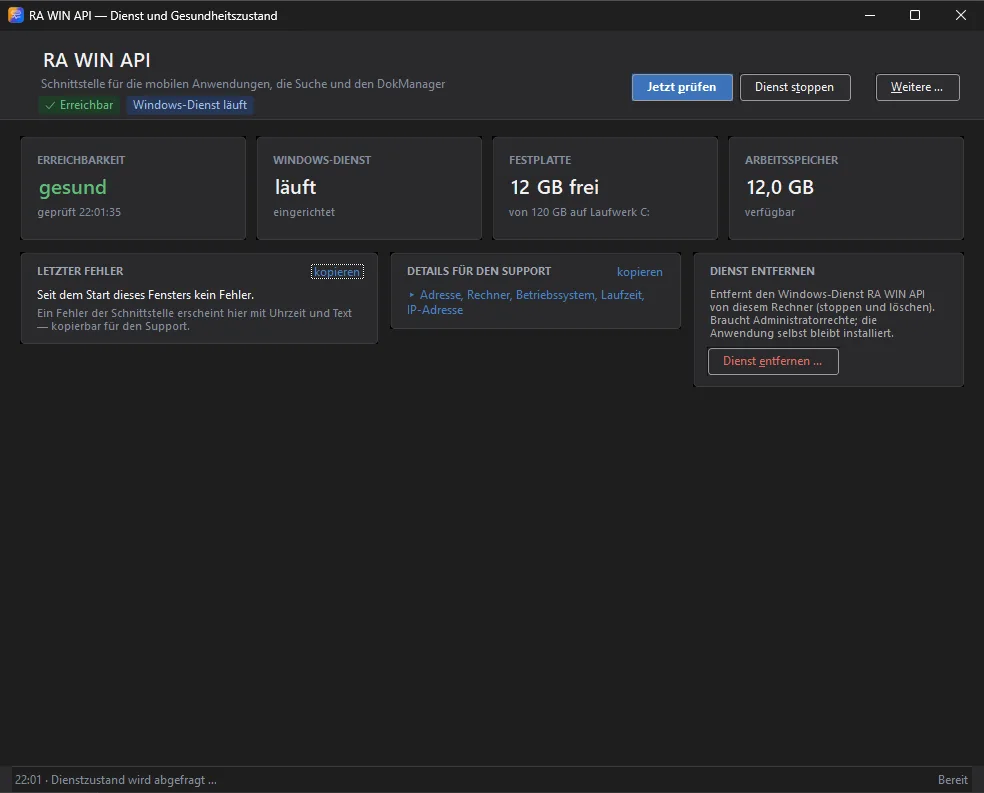
Provides your data to jur:mobile – as a Windows service on the server. More about jur:mobile
Two packages.
| Property | Server Feature Pack | Desktop Feature Pack |
|---|---|---|
| Installation | once per firm, on the server | per workstation |
| Contains | API, DokManager | beA, e-invoicing, e-file inbox, search, assistant, MCP server |
| Services | two Windows services | none |
At a glance.
- Eight applications in two packages
- Works on your existing RA WIN databases
- No data transfer, no migration, no second data set
- Takes its configuration from RA WIN
- Does not change files, addresses or bookings
- Runs alongside your RA WIN Professional
- Passwords and keys encrypted with the Windows sign-in
- Documents stay in the RA WIN file folder
- German and English, light and dark mode
In-house and under your control.
Runs at your site
The applications work on your SQL Server, in your office or on your server. Stored files go into the RA WIN file folder.
Settings kept safe
Settings and passwords are stored per user, encrypted with the Windows sign-in. After a reinstall they are still there.
AI only with your access
Assistant and MCP server can use a language model if you want – through the firm's own confidential access with a provider of its choice.
Every solution starts with a conversation
We get to know your law firm, show you RA WIN and find the right starting point together – in Berlin or online.
Request a demo