
jur:beA
The key to the outside world. Seamless access to the special electronic lawyer's mailbox.

What comes in is where it belongs seconds later.
Special electronic lawyer's mailbox.
The beA is mandatory, but it is not a workplace. Working there means switching back and forth between the mailbox and the law firm software, downloading attachments and filing them in the case file by hand.
jur:beA closes this gap. It is one window for the law firm’s mail: fetch, verify, assign, file, reply – without leaving the program that holds the case file.
The mail is stored centrally in the database, and your certificate is protected by the operating system’s keychain. jur:beA runs on Windows and macOS.
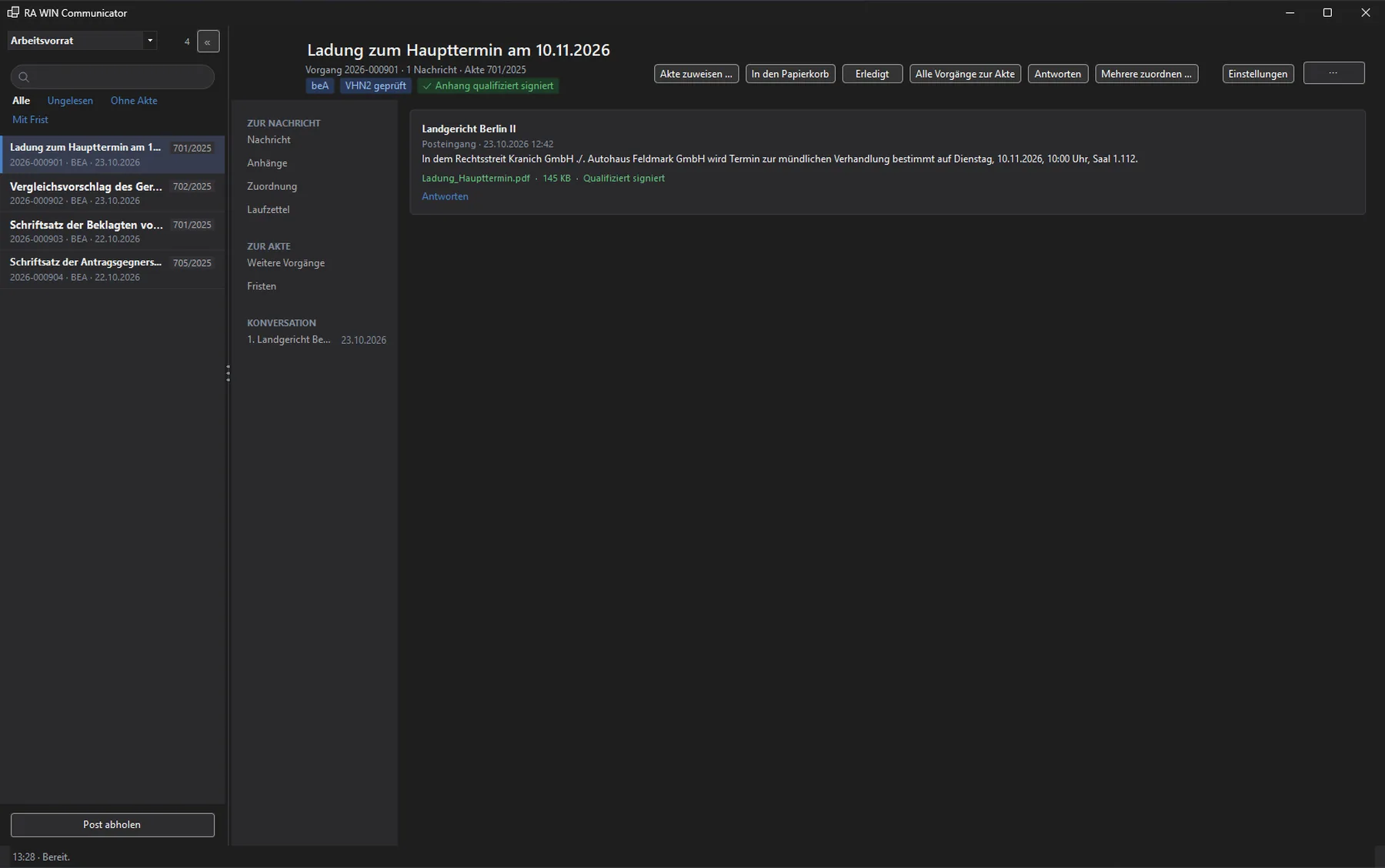
From incoming mail to acknowledgement of receipt.
-
Fetch and verify
One click fetches new messages. jur:beA decrypts them, verifies every signature and keeps the verification report signed by the BRAK – the document that counts in a dispute.
A certificate often sees several mailboxes: your own, a deputy’s, the law firm’s mailbox. Every message therefore shows which one it arrived in.
-
Assign – designed for the keyboard
The intake view shows one message large and asks two things: the case file and the court’s reference number. The case field suggests matches as you type; Enter accepts and moves on. You work through a pile of mail without reaching for the mouse.
jur:beA groups related messages into one matter – request, reply and follow-up in one thread. The beA itself does not know this; RA WIN builds it.
-
File and find again
Attachments land in the case folder and are registered in RA WIN. For each matter you see the other matters of the same case file, the deadlines and the course of the conversation.
“Done” takes a matter out of the work queue without discarding it. The bin does not delete either: items are only destroyed permanently from there, after confirmation.
-
Send and acknowledge receipt
Reply opens the send area within the matter, not in a second window. One line at the bottom states what sending will produce – whether the beA server creates the VHN2 proof of origin or whether the qualified signature of the responsible lawyer is required. This line determines the form and, in case of doubt, a deadline.
If a court requests an electronic acknowledgement of receipt, it appears above the message: submit it or reject it with one of the three reasons of the XJustiz standard.
Every solution starts with a conversation
We get to know your law firm, show you jur:beA and find the right starting point together – in Berlin or online.
Request a demo